The CMS is a dependency, the website is the app
Aurora started from one question: what if a client site's CMS were simply part of the Laravel application, rather than a platform the application lives inside?
What follows from that
Four principles
The CMS is a dependency
Everything the CMS is comes in through Composer. The app is the website: its layouts, components and blocks. Upgrading never touches the site.
Edit the real thing
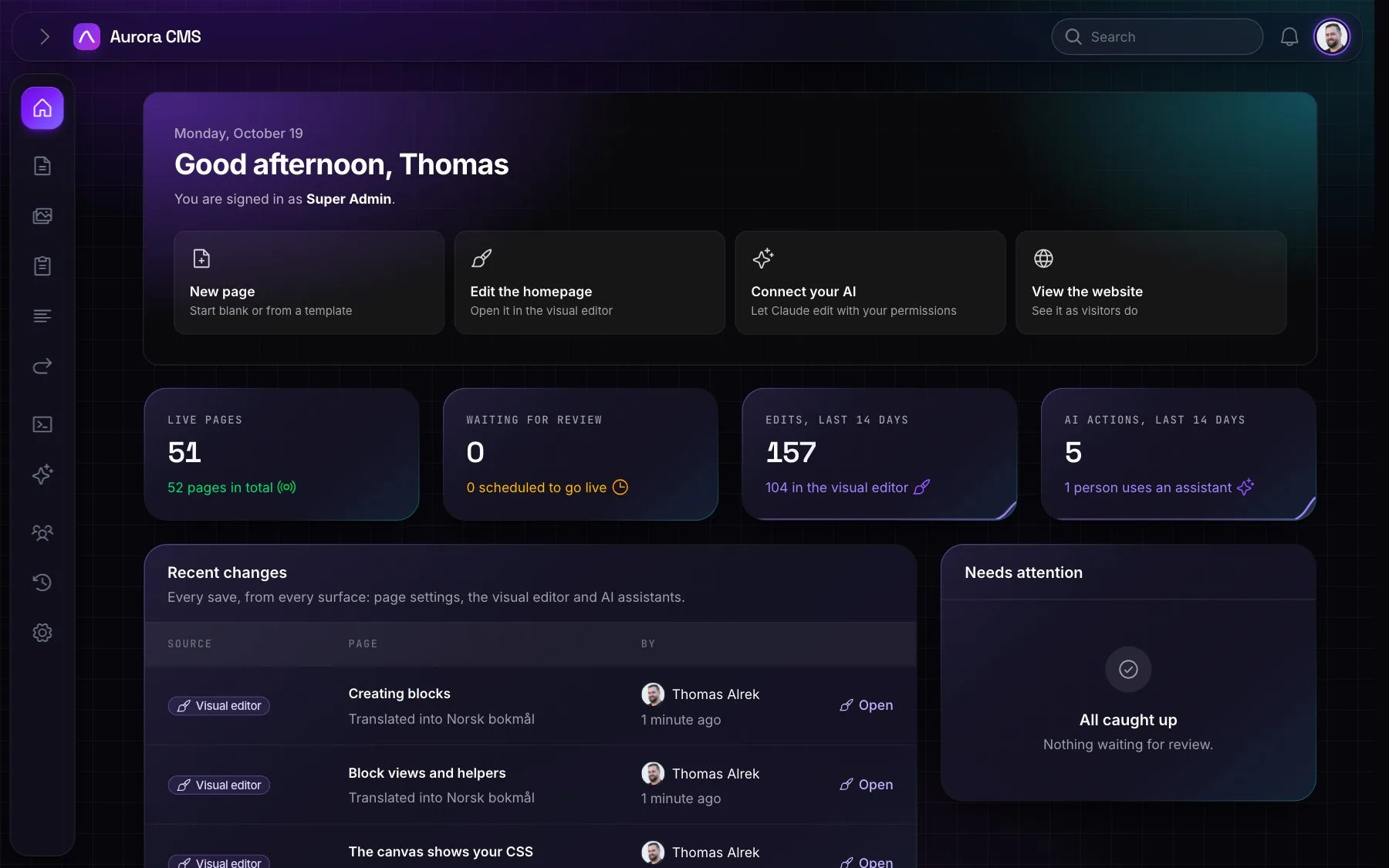
The canvas renders the same Blade components the website renders, with the site's own CSS. What editors see is what visitors get.
Content stays structured
Visual doesn't mean free-form HTML. Each block declares its fields, so content is typed, validated, translatable and machine-readable.
Permissions are the boundary
The admin, the editor, bulk actions, MCP and the assistant all go through the same policies. An assistant never does more than its person.
Compared
How Aurora differs from Statamic
Statamic is an excellent CMS, and Aurora borrows ideas from it. The difference is where each one puts the CMS relative to Laravel.
| Statamic | Aurora | |
|---|---|---|
| Storage | Flat files by default (Stache); Eloquent through a driver | Eloquent and the database, natively |
| Admin | Its own control panel, built with Vue | Filament: Laravel's own admin framework, with Livewire and Blade |
| Templates | Antlers, or Blade | Blade components only |
| Content model | Collections and blueprints in YAML | Pages made of blocks; each block a PHP class with a Filament schema |
| Editing | Form-based entries; Bard and Replicator for flexible fields | A visual canvas on the real design, plus forms for page settings |
| Extending | Addons with their own conventions | Ordinary Laravel: service providers, Blade, Eloquent, Filament plugins |
| AI | Through addons | Built in: an MCP server with OAuth, an assistant, AI writing and translation, all bound to permissions |
| Headless | REST and GraphQL in the Pro edition | REST and GraphQL included, with scoped API keys |
| Licence | Commercial Pro licence per site | MIT |
The reasons
Why build it this way?
- One stack. A team that knows Laravel and Filament knows Aurora. There's no second framework to learn for the control panel and no template language to switch to.
- The database is the source of truth. Content works with transactions, queues, Scout, policies, factories and tests like any other Laravel data, and scales the way the app scales.
- Typed blocks instead of blueprints. A block is a class you can read, test, refactor and autocomplete. Adding one is
php artisan aurora:make-block. - Built for the AI era. Blocks describe themselves (fields, options, hints), so assistants can build and edit pages reliably, and the permission model makes that safe to allow.
What makes it better
What editors and clients notice first
- No preview guessing. The canvas is the design. Inline editing covers headings, text, buttons and list items such as FAQ questions and pricing features.
- Safe by default. Unpublished changes, review, revisions, edit locks and scheduling come built in.
- One admin for many sites and languages. Pages are translated block by block with AI help, and every site has its own domain, languages and people.
- Fast websites. Pages can be served from a cache that clears itself on any change, and image formats are made in the background in WebP or AVIF.
- Plain-language admin. Roles, settings, warnings and notifications are written for editors, in English and Norwegian, and every label can be translated.
- AI with an audit trail. Clients can let assistants work on their site because it acts as them, can be limited by role, and is logged.
FAQ
Questions people ask
Yes. Blocks are Blade views in your app, styled however you like. The visual editor shows them in your website's own stylesheet, scoped to the canvas, so editors always see your design.
Yes. Starting from the template is recommended, but composer require shipaurora/cms and php artisan aurora:install add it to a Laravel 13 app. Then add your own blocks.
In your database. Pages store their blocks as JSON, media goes to whichever filesystem disk you configure, and nothing is sent anywhere unless you connect an AI provider.
No. The assistant stays off until someone adds a provider and an API key under Settings, and connecting AI apps is a separate permission per role.
Yes. Switch on the REST or GraphQL API under Settings › Integrations. Both are read-only, only show what visitors may see, and can require API keys with scopes.
English and Norwegian out of the box. Every label can be translated from the Translations screen, and each person picks their own admin language.
Convinced, or curious?
The quickest way to judge a CMS is to use it. Start a project from the template and see for yourself in a few minutes.
Installation